Invite someone
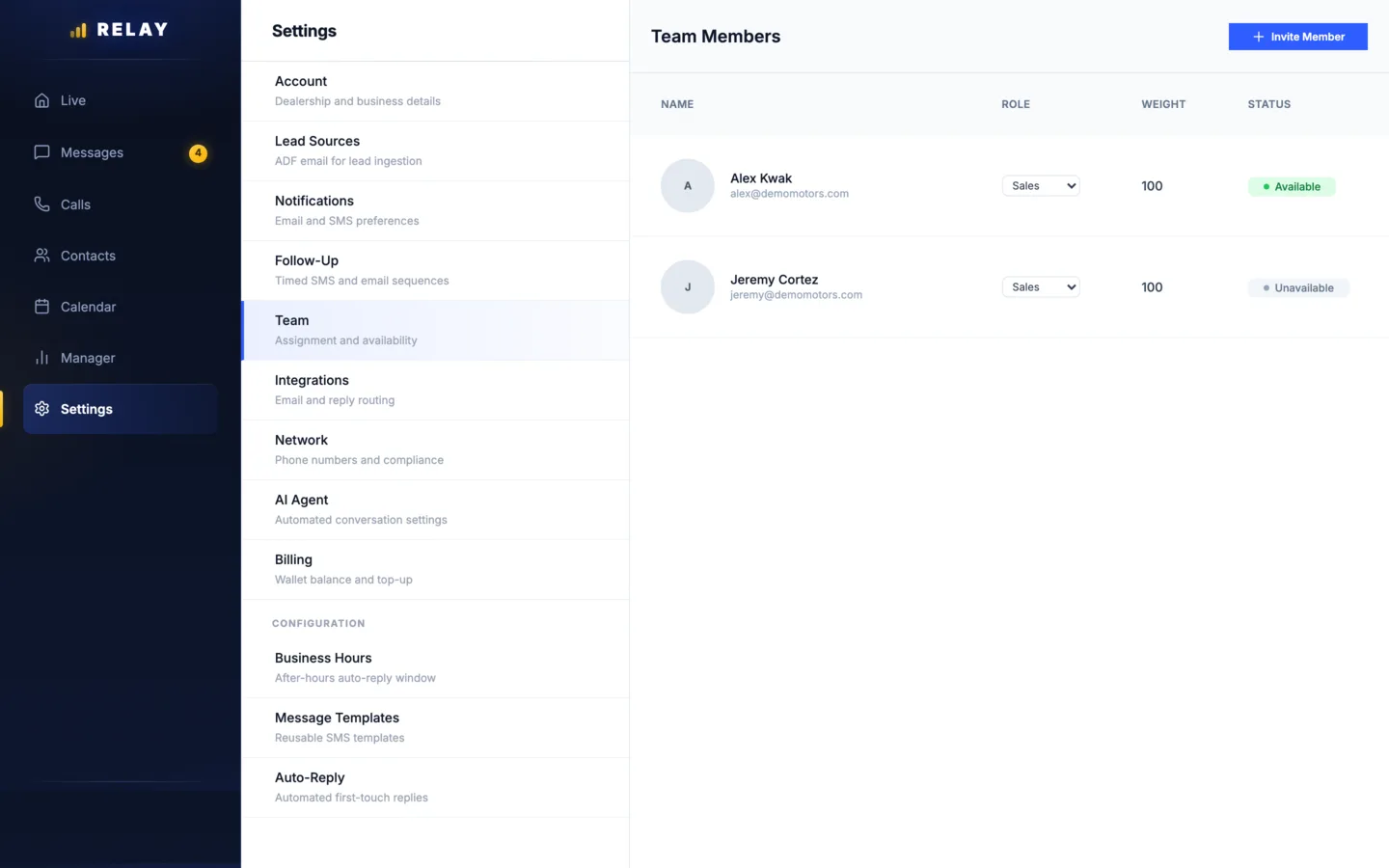
How to invite someone to Relay
- On a computer, open Settings > Team.
- Choose Invite Member.
- Fill in Email address, Full name, and Role.
- Add their cell under Phone number so they can sign in with a text code.
- Choose Send Invite.
- When they are ready for leads, set them to Available. New people start Unavailable.
Managers can invite Sales reps. Owners can also invite Managers. If the email did not arrive, choose Resend on their row.
What each role can do
| Role | Can do |
|---|---|
| Sales | Works their own leads, appointments, and availability. Sees customer numbers once a lead is warm. |
| Manager | Sees every lead and full numbers. Runs routing, reassigns leads, invites reps, and changes most settings. |
| Owner | Everything a manager can do, plus billing, roles, removing people, and inviting managers. |
Roles are per store. The same person can be a manager at one store and a rep at another.
Change a role or remove someone
- Change a role: owners pick a new role from the menu on the person's row.
- Remove someone: owners choose remove on the row. Their access ends. Their open leads go back to the team. Their conversations stay with the store.
- To give all their leads to one rep, use Reassign all in the Floor Monitor first.
Common questions
What roles does Relay have?
Sales (works their own leads), Manager (sees all leads and runs most settings), and Owner (everything, plus billing and roles).
What happens to a rep's leads when they leave?
When an owner removes them, their open leads go back to the team and their conversations stay with the store. To hand everything to one rep, use Reassign all in the Floor Monitor first.
Stuck on something this guide does not cover? Text the Relay team at 778-764-1975, call 1-855-467-2999, or email tej@razzytech.com. Back to all help guides.