Add and assign a number
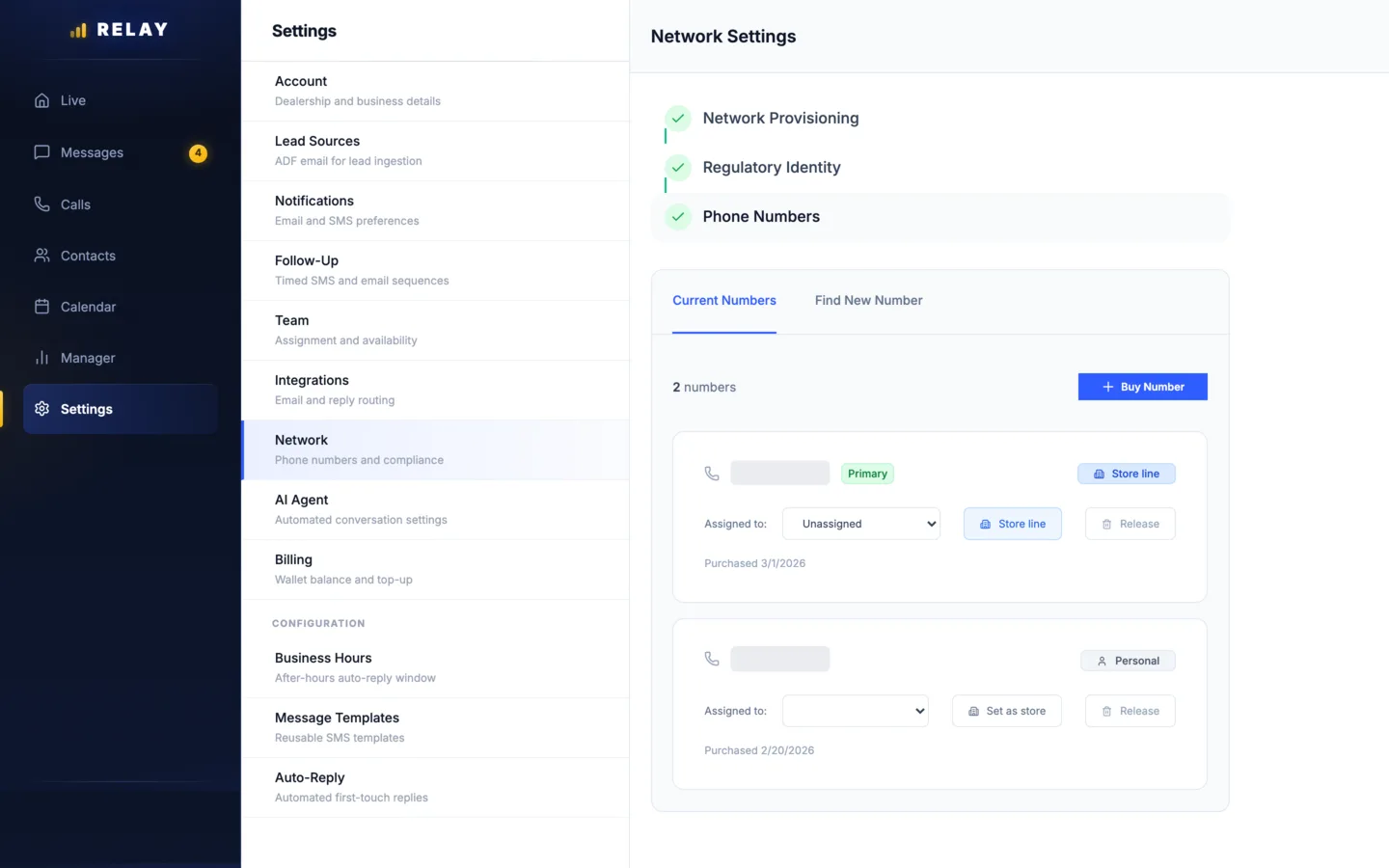
How to add and assign a number
- On a computer, open Settings > Network.
- Choose Find New Number and search by area code.
- Choose Buy Number. Each number costs $2 a month from your wallet.
- On the number, use Assigned to to give it to one rep. Or choose Set as store to share it.
The checks at the top (Network Provisioning, Regulatory Identity, Phone Numbers) show if your texting setup is done. If one is not checked, text us at 778-764-1975.
Which number the customer sees
- Texts: Relay uses the number the customer first called or texted. If they did not contact you first, it uses the rep's own line, then a store line.
- Calls: customers see the rep's own line, or a store line.
- Incoming calls: a rep's own line rings that rep. A store line goes to the team.
A rep with no number sees "No phone number assigned. Contact your manager to get a dedicated line."
Common questions
Do reps use their personal cell numbers?
No. Reps use the Relay app on their own phone, but customers see a store number. The number and the history belong to the store.
Why does a customer see a different number than the rep's line?
If the customer texted or called the store first, Relay replies from that number so the conversation stays in one thread on their phone.
Stuck on something this guide does not cover? Text the Relay team at 778-764-1975, call 1-855-467-2999, or email tej@razzytech.com. Back to all help guides.