Set your hours
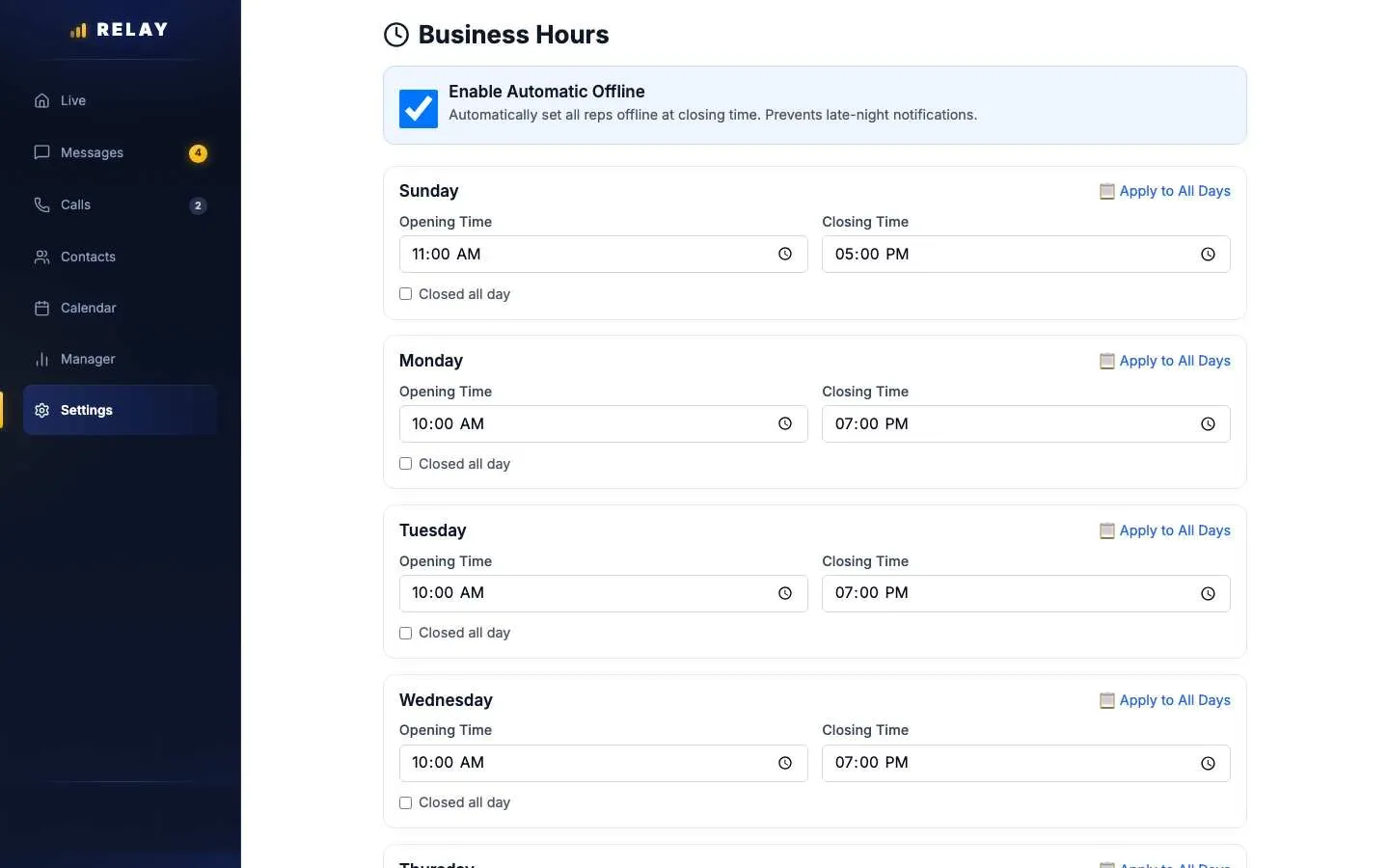
How to set business hours
- On a computer, open Settings > Business Hours.
- For each day, set Opening Time and Closing Time. Or tick Closed all day.
- To copy one day to the whole week, choose Apply to All Days.
- Choose Save Business Hours.
Enable Automatic Offline does not work yet. Reps are not switched off at closing time. Set reps offline in the Floor Monitor, or have reps switch on Mark as unavailable in the app.
Your store's time zone is in Settings > Account. If it is wrong, text us at 778-764-1975.
Quiet hours for automatic texts
Automatic texts only go out between 8 AM and 9 PM store time. That covers the first text, AI replies, and follow-up texts. Outside those hours, Relay waits and sends them in the morning. Texts a rep types and sends are not held.
Common questions
Will Relay text customers in the middle of the night?
Not automatically. First texts, AI replies, and follow-ups only go out between 8 AM and 9 PM store time.
Stuck on something this guide does not cover? Text the Relay team at 778-764-1975, call 1-855-467-2999, or email tej@razzytech.com. Back to all help guides.