Build a sequence
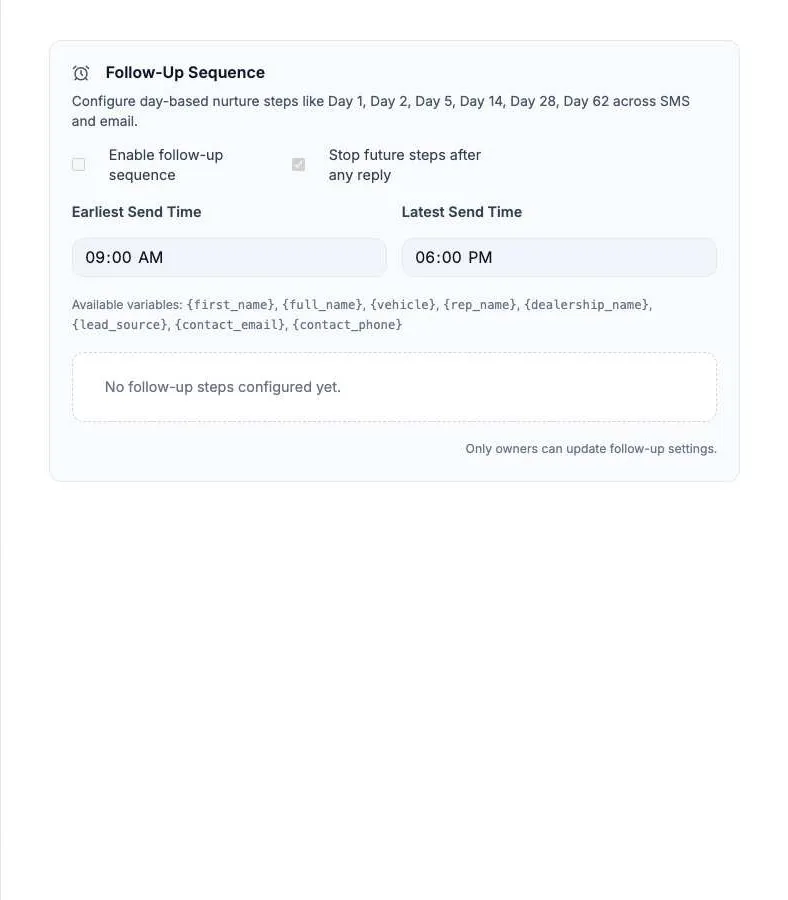
How to set up follow-ups
- On a computer, open Settings > Follow-Up. Only owners can save.
- Add a step. Set the Day Offset, the Channel (text or email), and the message.
- Repeat for each step.
- Set the Earliest Send Time and Latest Send Time.
- Keep Stop future steps after any reply ticked.
- Tick Enable follow-up sequence and save.
Messages can use {first_name}, {vehicle}, {rep_name}, {dealership_name}, and more. Texts also follow the 8 AM to 9 PM quiet hours.
Stuck on something this guide does not cover? Text the Relay team at 778-764-1975, call 1-855-467-2999, or email tej@razzytech.com. Back to all help guides.